How to Set Up a BLE GATT Server on ESP32 for DHT22 Readings
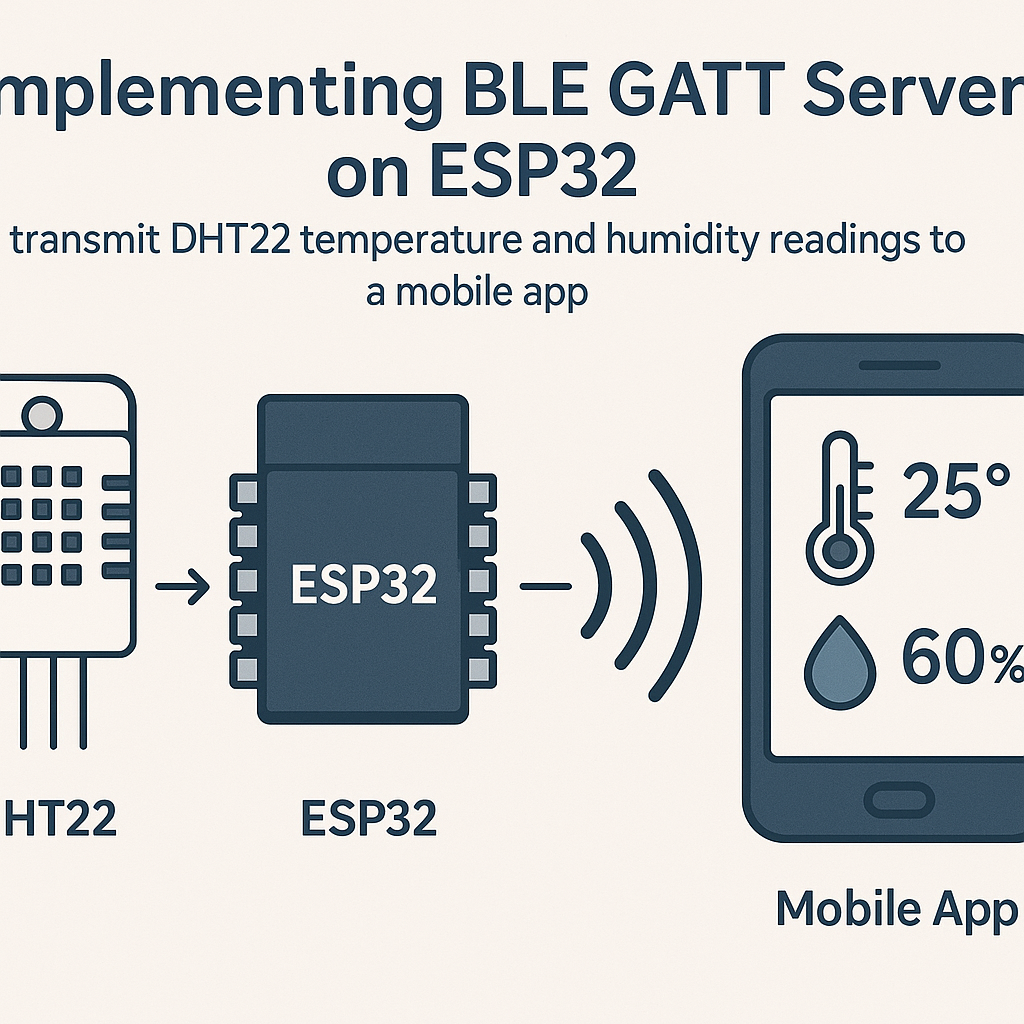
Turning Your ESP32 into a BLE Sensor Hub for DHT22 Data
Bluetooth Low Energy is the right tool when you need to push small sensor readings to a phone without the overhead of Wi-Fi. The ESP32 has a solid BLE stack built in, and pairing it with a DHT22 temperature/humidity sensor gives you a wireless environmental monitor in about 50 lines of code.
The architecture is straightforward: the ESP32 runs a GATT server with a custom characteristic. It reads the DHT22 periodically and pushes notifications to any connected BLE client. Your phone picks them up with any generic BLE scanner app, or you build a proper app later.
Prerequisites
- Comfortable with Arduino-style C++ on ESP32
- ESP32 development board (any variant with BLE support)
- DHT22 temperature and humidity sensor
- Arduino IDE 2.x with the ESP32 board package v3.x installed
- A BLE scanner app on your phone (nRF Connect is excellent and free)
Parts/Tools
- ESP32 development board
- DHT22 sensor
- Jumper wires
- Breadboard (optional but makes life easier)
Steps
- Wire Up the DHT22
Simple three-wire hookup:
- DHT22 VCC to ESP32 3.3V
- DHT22 GND to ESP32 GND
- DHT22 DATA to ESP32 GPIO 23
Some DHT22 breakout boards have a built-in pull-up resistor on the data line. If you're using a bare sensor, add a 10k pull-up between DATA and 3.3V. Without it, you'll get intermittent read failures that are maddening to debug.
- Install the Required Libraries
In Arduino IDE 2.x, go to the Library Manager and install:
- DHT sensor library by Adafruit (it'll prompt you to also install Adafruit Unified Sensor; say yes)
The BLE libraries ship with the ESP32 board package v3.x, so no extra install needed there.
- Write the GATT Server Code
Here's the full sketch. Note the callback class is declared before
setup()so the compiler sees it in time:#include <DHT.h> #include <BLEDevice.h> #include <BLEUtils.h> #include <BLEServer.h> #include <BLE2902.h> #define DHTPIN 23 #define DHTTYPE DHT22 #define SERVICE_UUID "181A" // Environmental Sensing service #define CHARACTERISTIC_UUID "2A6F" // Custom characteristic for combined data DHT dht(DHTPIN, DHTTYPE); BLEServer *pServer = NULL; BLECharacteristic *pCharacteristic = NULL; bool deviceConnected = false; bool oldDeviceConnected = false; class MyServerCallbacks : public BLEServerCallbacks { void onConnect(BLEServer* pServer) { deviceConnected = true; } void onDisconnect(BLEServer* pServer) { deviceConnected = false; } }; void setup() { Serial.begin(115200); dht.begin(); BLEDevice::init("ESP32_DHT22"); pServer = BLEDevice::createServer(); pServer->setCallbacks(new MyServerCallbacks()); BLEService *pService = pServer->createService(SERVICE_UUID); pCharacteristic = pService->createCharacteristic( CHARACTERISTIC_UUID, BLECharacteristic::PROPERTY_READ | BLECharacteristic::PROPERTY_NOTIFY ); pCharacteristic->addDescriptor(new BLE2902()); pService->start(); BLEAdvertising *pAdvertising = BLEDevice::getAdvertising(); pAdvertising->addServiceUUID(SERVICE_UUID); pAdvertising->setScanResponse(true); pAdvertising->start(); Serial.println("BLE server started, waiting for connections..."); } void loop() { if (deviceConnected) { float h = dht.readHumidity(); float t = dht.readTemperature(); if (isnan(h) || isnan(t)) { Serial.println("DHT22 read failed, skipping"); } else { String data = String(t, 1) + "C " + String(h, 1) + "%"; pCharacteristic->setValue(data.c_str()); pCharacteristic->notify(); Serial.println("Sent: " + data); } delay(2000); } // Restart advertising after a client disconnects if (!deviceConnected && oldDeviceConnected) { delay(500); pServer->startAdvertising(); Serial.println("Restarted advertising"); oldDeviceConnected = false; } if (deviceConnected && !oldDeviceConnected) { oldDeviceConnected = true; } }A few things worth noting in this code: we check for NaN returns from the DHT library (the sensor fails occasionally, especially on the first read after power-up). We also handle re-advertising after a disconnect, which the basic examples usually leave out. Without that, your ESP32 becomes invisible after the first client disconnects.
- Upload and Flash
- Select your ESP32 board variant in Tools > Board.
- Pick the correct port.
- Hit Upload. The ESP32 Arduino core v3.x sometimes needs you to hold the BOOT button during the flash sequence on certain boards.
- Test with nRF Connect
- Open nRF Connect (or any BLE scanner) on your phone.
- Scan for devices and look for "ESP32_DHT22".
- Connect, find the Environmental Sensing service, and tap the notification icon on the characteristic.
- You should see temperature and humidity strings updating every 2 seconds.
If you see the device but can't connect, try power-cycling the ESP32. The BLE stack occasionally gets into a weird state during development, especially if you interrupted a previous upload mid-flash.
Troubleshooting
- ESP32 doesn't show up in BLE scan: Make sure
BLEDevice::init()completed without errors (check Serial output). Also verify your phone's Bluetooth is on and location permissions are granted; Android requires location permission for BLE scanning. - DHT22 returns NaN constantly: Check the wiring, especially the pull-up resistor. Also give the sensor 2 seconds after power-up before the first read. The DHT22 needs a moment to stabilize.
- Notifications stop after disconnect/reconnect: This is the re-advertising issue. Make sure you have the disconnect handling code in
loop()that restarts advertising. The BLE2902 descriptor also needs to be attached to the characteristic for notifications to work properly.
Next Steps
This gives you a working BLE sensor node. From here you could structure the data as proper BLE Environmental Sensing characteristics (temperature as int16 in 0.01-degree units per the Bluetooth SIG spec), add battery level reporting, or build a Flutter or React Native app that connects and graphs the readings over time. The ESP32's BLE stack also supports multiple simultaneous connections if you need several phones monitoring the same sensor.