How to Securely Update STM32 Firmware with SPI NOR Flash and CRC Validation
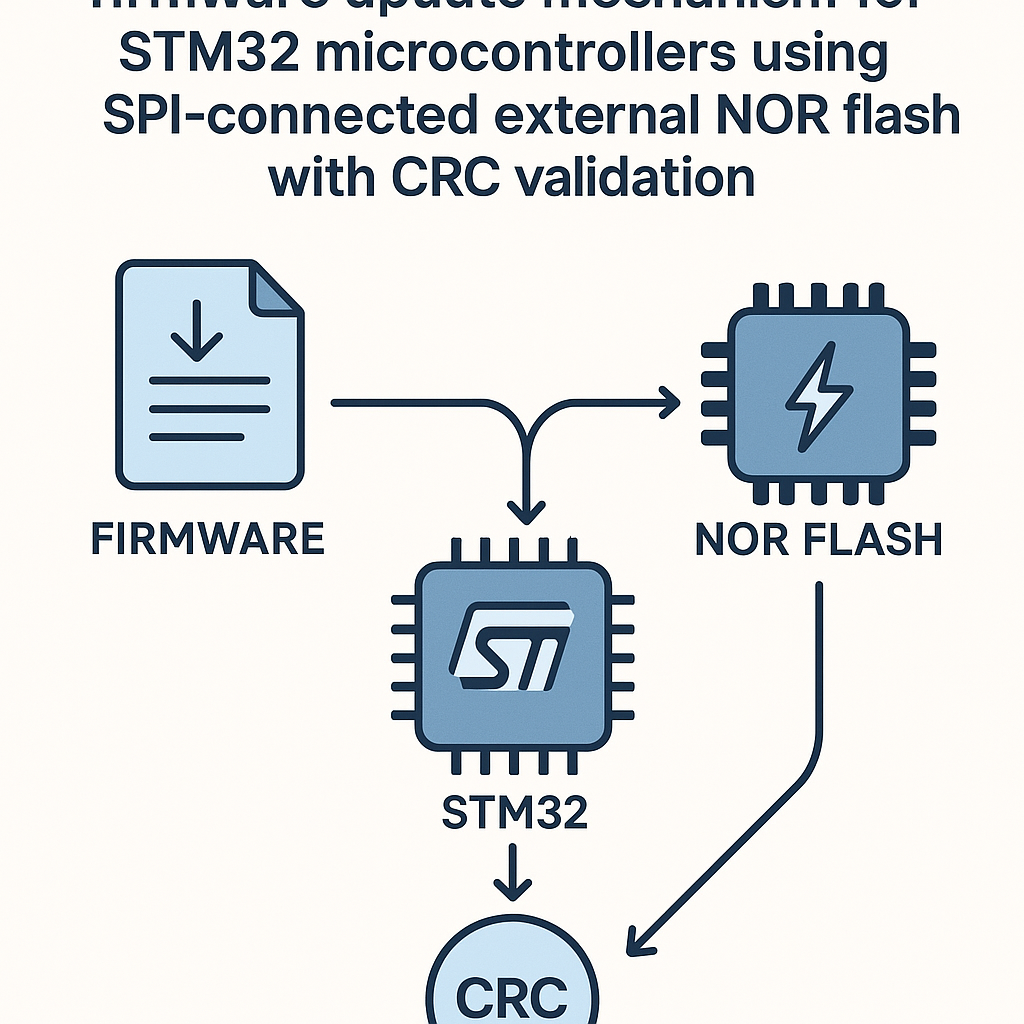
Why External Flash for Firmware Updates?
Over-the-air or field firmware updates are table stakes for any serious embedded product. But writing new firmware directly to internal flash while the MCU is running from that same flash? That's asking for trouble. A power glitch mid-write and you've bricked a device.
The safer pattern: store the incoming firmware image on an external SPI NOR flash chip, validate it with a CRC check, and only then copy it to internal flash. This gives you a clean separation between "receiving" and "applying" the update, plus a fallback image if something goes wrong.
Here's how to wire this up on an STM32 using the HAL, a Winbond W25Q-series flash chip, and CRC32 validation.
Prerequisites
- Working knowledge of STM32 development and the HAL
- Comfortable with SPI at a conceptual level
- C programming experience in embedded contexts
- STM32CubeIDE v1.16+ installed and configured
- An STM32 dev board (F4, G4, H5 — any with SPI)
Parts/Tools
- STM32 microcontroller board (STM32F4 series works well for this)
- SPI NOR flash chip — Winbond W25Q128 or similar W25Q series
- STM32CubeIDE v1.16+
- ST-LINK debugger (or the one built into your Nucleo/Discovery board)
- Logic analyzer (optional but incredibly helpful for debugging SPI issues)
Steps
- Configure the SPI interface
Open your project in STM32CubeIDE and set up SPI1 in the .ioc configurator. Set it to full-duplex master mode, 8-bit data, MSB first. For the NOR flash, CPOL=Low and CPHA=1Edge is the standard config (SPI Mode 0). Use software-managed chip select — it gives you more control over timing.
Here's what the initialization looks like in code:
SPI_HandleTypeDef hspi1;
hspi1.Instance = SPI1;
hspi1.Init.Mode = SPI_MODE_MASTER;
hspi1.Init.Direction = SPI_DIRECTION_2LINES;
hspi1.Init.DataSize = SPI_DATASIZE_8BIT;
hspi1.Init.CLKPolarity = SPI_POLARITY_LOW;
hspi1.Init.CLKPhase = SPI_PHASE_1EDGE;
hspi1.Init.NSS = SPI_NSS_SOFT;
hspi1.Init.BaudRatePrescaler = SPI_BAUDRATEPRESCALER_16;
hspi1.Init.FirstBit = SPI_FIRSTBIT_MSB;
HAL_SPI_Init(&hspi1);
Configure your CS pin as a GPIO output, initially set HIGH (deselected). Also make sure the SCK, MOSI, and MISO pins are set to the correct alternate function for SPI1. The .ioc tool handles this if you enable SPI1 there, but double-check — I've been bitten by pin conflicts more times than I'd like to admit.
Watch out: the baud rate prescaler matters. W25Q chips handle up to ~50 MHz on reads, but start with a conservative prescaler (like 16 or 32) until you've confirmed everything works. You can speed it up later.
- Write firmware data to external NOR flash
NOR flash uses a command-based protocol over SPI. You'll need at minimum these three commands:
#define WRITE_ENABLE  0x06
#define PAGE_PROGRAM  0x02
#define READ_DATA     0x03
#define READ_STATUS   0x05
#define SECTOR_ERASE  0x20
Before any write, you must send the Write Enable command. Then you issue a Page Program command with a 24-bit address followed by your data. NOR flash pages are typically 256 bytes — do not cross a page boundary in a single write or the address wraps around and you'll overwrite the start of the page.
void NOR_WriteEnable(void) {
    uint8_t cmd = WRITE_ENABLE;
    HAL_GPIO_WritePin(GPIOB, CS_PIN, GPIO_PIN_RESET);
    HAL_SPI_Transmit(&hspi1, &cmd, 1, HAL_MAX_DELAY);
    HAL_GPIO_WritePin(GPIOB, CS_PIN, GPIO_PIN_SET);
}

void NOR_WaitReady(void) {
    uint8_t cmd = READ_STATUS;
    uint8_t status = 0;
    HAL_GPIO_WritePin(GPIOB, CS_PIN, GPIO_PIN_RESET);
    HAL_SPI_Transmit(&hspi1, &cmd, 1, HAL_MAX_DELAY);
    do {
        HAL_SPI_Receive(&hspi1, &status, 1, HAL_MAX_DELAY);
    } while (status & 0x01); // BUSY bit
    HAL_GPIO_WritePin(GPIOB, CS_PIN, GPIO_PIN_SET);
}

void NOR_WritePage(uint32_t address, uint8_t* data, uint16_t size) {
    NOR_WriteEnable();

    HAL_GPIO_WritePin(GPIOB, CS_PIN, GPIO_PIN_RESET);
    uint8_t command[4] = {
        PAGE_PROGRAM,
        (address >> 16) & 0xFF,
        (address >> 8) & 0xFF,
        address & 0xFF
    };
    HAL_SPI_Transmit(&hspi1, command, 4, HAL_MAX_DELAY);
    HAL_SPI_Transmit(&hspi1, data, size, HAL_MAX_DELAY);
    HAL_GPIO_WritePin(GPIOB, CS_PIN, GPIO_PIN_SET);

    NOR_WaitReady(); // Wait for write to complete
}
Big gotcha: you must erase a sector before writing to it. NOR flash can only flip bits from 1 to 0. Erasing sets everything back to 0xFF. Forgetting this step is the #1 cause of "my flash writes aren't working" issues.
- Add CRC32 validation
STM32 microcontrollers have a hardware CRC peripheral — use it. It's faster than a software implementation and frees up CPU cycles. The HAL makes this straightforward:
CRC_HandleTypeDef hcrc;

void CRC_Init(void) {
    hcrc.Instance = CRC;
    HAL_CRC_Init(&hcrc);
}

uint32_t calculateCRC(uint8_t* data, uint32_t length) {
    return HAL_CRC_Calculate(&hcrc, (uint32_t*)data, length / 4);
}
When you receive a firmware image, compute its CRC and store it at a known address in external flash (e.g., the last 4 bytes of the firmware region, or a dedicated metadata sector). During the update process, you'll recalculate the CRC from what's actually stored in flash and compare.
Pro tip: store a small metadata header alongside the firmware — version number, image size, CRC, and a magic number. This makes it much easier to validate images and manage rollbacks.
- Read firmware back from external NOR flash
Reading is the simplest operation. Issue a READ_DATA command with the address, then clock out as many bytes as you need:
void NOR_Read(uint32_t address, uint8_t* buffer, uint16_t size) {
    HAL_GPIO_WritePin(GPIOB, CS_PIN, GPIO_PIN_RESET);
    uint8_t command[4] = {
        READ_DATA,
        (address >> 16) & 0xFF,
        (address >> 8) & 0xFF,
        address & 0xFF
    };
    HAL_SPI_Transmit(&hspi1, command, 4, HAL_MAX_DELAY);
    HAL_SPI_Receive(&hspi1, buffer, size, HAL_MAX_DELAY);
    HAL_GPIO_WritePin(GPIOB, CS_PIN, GPIO_PIN_SET);
}
Unlike writes, reads have no page boundary limitations. You can read the entire chip in one continuous operation if you want.
- Perform the secure firmware update
Here's the actual update flow:
- Read the firmware image and stored CRC from external flash.
- Recalculate the CRC over the firmware data you just read.
- Compare the two CRC values. If they don't match, the image is corrupt — abort and log the error.
- If CRC passes, erase the target region of internal flash.
- Copy the firmware from external flash to internal flash in chunks.
- Optionally verify the internal flash contents with another CRC pass.
- Update a boot flag or version marker so the bootloader knows to jump to the new image.
If you're building a production system, I strongly recommend implementing an A/B partition scheme. Keep the current working firmware in slot A, write the new image to slot B, and only switch the boot target after full validation. If the new firmware fails to boot, the bootloader can fall back to slot A. Look into MCUboot if you want a battle-tested bootloader that handles this pattern.
Troubleshooting
- Can't communicate with the NOR flash at all:
- Probe the SPI lines with a logic analyzer. Is CS going low? Is the clock running? Is MOSI sending the correct command byte?
- Try reading the JEDEC ID (command 0x9F) — it's a quick sanity check that SPI is working. The W25Q128 should return 0xEF, 0x40, 0x18.
- Check your SPI mode. Some flash chips use Mode 0, some use Mode 3. The W25Q series supports both, but if your signals look off, verify CPOL/CPHA.
- Writes seem to succeed but data reads back wrong:
- Did you erase the sector first? NOR flash cannot write 0-to-1 transitions.
- Are you crossing a 256-byte page boundary? Split your writes at page boundaries.
- Are you waiting for the write to complete before the next operation? Poll the BUSY bit in the status register.
- CRC mismatch:
- Make sure you're computing the CRC over exactly the same byte range on both sides (sender and receiver). Off-by-one on the length is a classic bug.
- The STM32 hardware CRC operates on 32-bit words. If your data length isn't a multiple of 4, you'll need to handle the remaining bytes separately or pad them.