How to Implement Wi-Fi Remote Logging with Zephyr RTOS and MQTT over TLS
Introduction
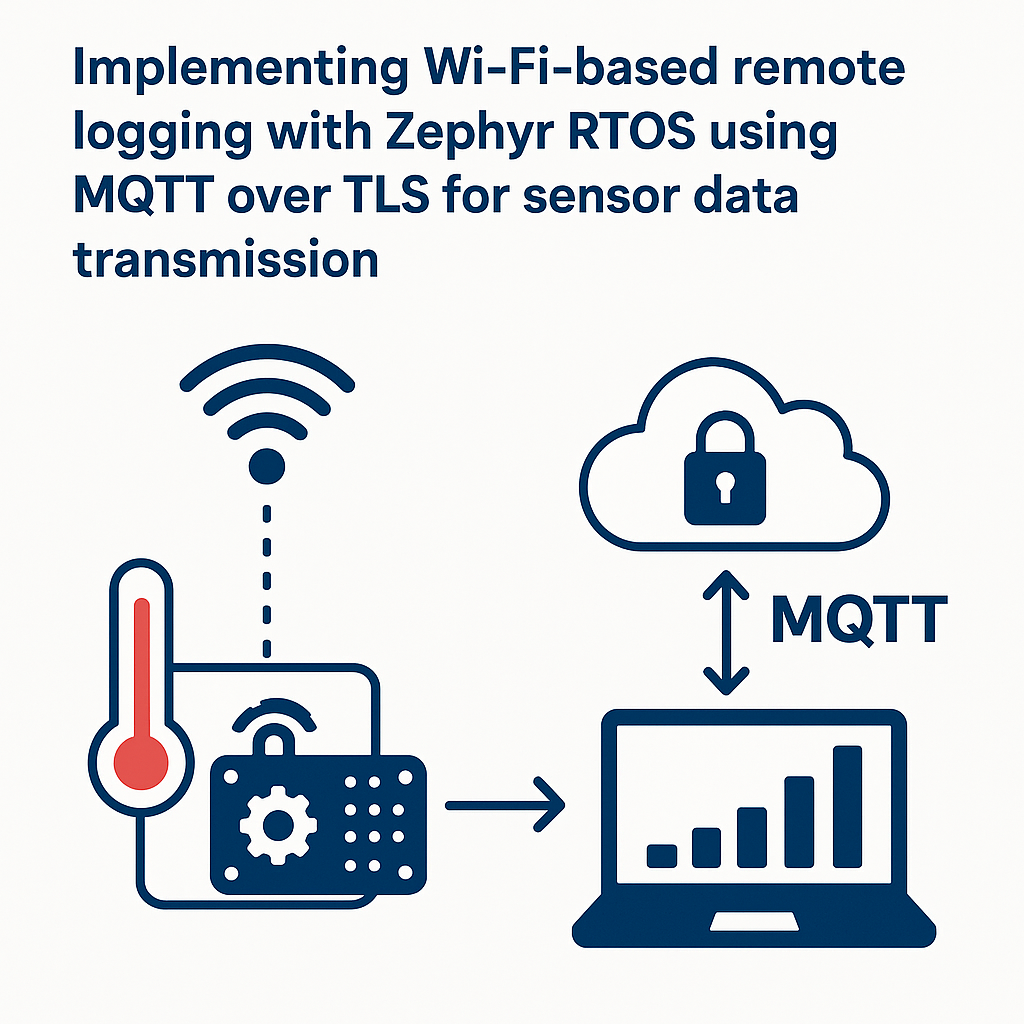
Debugging embedded devices in the field is miserable without remote logging. You can't walk up to every sensor node with a JTAG probe. MQTT over TLS on Zephyr RTOS (v3.7+) gives you encrypted, lightweight log streams over Wi-Fi—and the setup is more straightforward than you might expect.
This guide walks you through standing up a Zephyr application that reads sensor data, connects to an MQTT broker over TLS 1.3, and publishes log payloads securely. By the end, you'll have a working remote logging pipeline from an ESP32 to any MQTT broker.
Prerequisites
- Comfortable with C and basic embedded programming concepts
- Some experience with Zephyr RTOS (at least built and flashed a sample app)
- General understanding of MQTT publish/subscribe model
- A Wi-Fi-capable board supported by Zephyr (ESP32 works well)
- An MQTT broker configured for TLS (Eclipse Mosquitto is a solid free option)
- Zephyr SDK installed (v0.16.8+ recommended for Zephyr v3.7)
Parts/Tools
- ESP32 development board (or any Zephyr-supported Wi-Fi board)
- Computer with Zephyr SDK and
westtool installed - MQTT broker with TLS support (Mosquitto, HiveMQ, or a cloud broker)
- Wi-Fi access point
- Sensor module (e.g., a basic temperature sensor over I2C or SPI)
Steps
-
Set Up the Development Environment
- If you haven't already, install the Zephyr SDK following the official getting started guide. The
westmeta-tool handles most of the heavy lifting now. - Initialize a fresh Zephyr workspace:
- Set your environment so Zephyr knows where to find things:
west init ~/zephyrproject cd ~/zephyrproject west updatesource ~/zephyrproject/zephyr/zephyr-env.shWatch out: if you're on macOS, make sure you have the ARM and Xtensa toolchains. The Zephyr SDK bundles them, but double-check your
PATHincludes them. - If you haven't already, install the Zephyr SDK following the official getting started guide. The
-
Create a New Zephyr Application
- Navigate to your Zephyr samples directory:
- Create a directory for your remote logging app:
- The fastest way to start is copying the existing MQTT publisher sample and modifying it:
cd ~/zephyrproject/zephyr/samplesmkdir mqtt_tls_loggingcp -r net/mqtt_publisher/* mqtt_tls_logging/This gives you a working MQTT skeleton so you're not wiring up Kconfig and CMake from scratch.
-
Configure MQTT over TLS
- Open the
prj.conffile and add (or verify) these Kconfig options: - Place your CA certificate (and optionally client cert/key) in a
certs/directory inside your project. Register them using Zephyr's TLS credential API in your source code. Getting the certificate chain right is usually where people waste the most time—test your certs against the broker withopenssl s_clientfirst before blaming your firmware.
CONFIG_MQTT_LIB=y
CONFIG_MQTT_LIB_TLS=y
CONFIG_NETWORKING=y
CONFIG_WIFI=y
CONFIG_NET_SOCKETS_SOCKOPT_TLS=y
CONFIG_TLS_CREDENTIAL_FILENAMES=y
CONFIG_MBEDTLS=y
CONFIG_MBEDTLS_TLS_VERSION_1_3=y
The
MBEDTLS_TLS_VERSION_1_3option enables TLS 1.3 support. If your broker only supports TLS 1.2, you can omit it, but TLS 1.3 is preferred in 2026 for better security and lower handshake overhead. - Open the
-
Implement Sensor Data Reading
- Include the Zephyr sensor and device headers:
- Grab a reference to your sensor using the devicetree API (the old
device_get_binding()string approach still works but devicetree macros are the modern way):
#include <zephyr/device.h> #include <zephyr/drivers/sensor.h>const struct device *sensor_dev = DEVICE_DT_GET(DT_ALIAS(temp_sensor)); if (!device_is_ready(sensor_dev)) { printk("Sensor device not ready\n"); return; }Tip: always check
device_is_ready()rather than checking for NULL. In Zephyr v3.7+,DEVICE_DT_GETnever returns NULL—it returns a pointer to an uninitialized device struct if something went wrong, so a NULL check won't catch the problem. -
Set Up the MQTT Client
- Initialize the MQTT client struct:
- Configure the broker connection. For TLS on port 8883:
struct mqtt_client client; mqtt_client_init(&client);static struct sockaddr_in broker; broker.sin_family = AF_INET; broker.sin_port = htons(8883); net_addr_pton(AF_INET, "192.168.1.100", &broker.sin_addr); client.broker = &broker; client.transport.type = MQTT_TRANSPORT_SECURE;You'll also need to configure the TLS credentials on the client's transport struct. Point it to the credential tag you registered earlier. The Zephyr MQTT samples show this pattern well—don't try to reinvent it.
-
Implement Data Transmission
- Create a publish function that formats your sensor reading as JSON and pushes it to the broker:
- In your main loop, fetch the sensor sample and publish:
void publish_sensor_data(struct mqtt_client *client, float temperature) { char payload[64]; snprintf(payload, sizeof(payload), "{\"temperature\": %.2f}", temperature); struct mqtt_publish_param param; param.message.topic.qos = MQTT_QOS_1_AT_LEAST_ONCE; param.message.topic.topic.utf8 = "sensor/data"; param.message.topic.topic.size = strlen("sensor/data"); param.message.payload.data = payload; param.message.payload.len = strlen(payload); param.message_id = sys_rand32_get(); mqtt_publish(client, ¶m); }struct sensor_value temp_val; sensor_sample_fetch(sensor_dev); sensor_channel_get(sensor_dev, SENSOR_CHAN_AMBIENT_TEMP, &temp_val); float temperature = sensor_value_to_float(&temp_val); publish_sensor_data(&client, temperature);Don't forget to call
mqtt_input()andmqtt_live()periodically in your loop. The Zephyr MQTT stack requires you to pump these to handle incoming ACKs and keep-alive pings. Miss this and your connection will silently die after the keep-alive timeout.
Troubleshooting
- MQTT Connection Refused or Times Out: Verify the broker is reachable from your device's network. Try pinging the broker IP from another machine on the same Wi-Fi. Check that port 8883 isn't blocked by a firewall. Also confirm your Wi-Fi credentials are correct in the Zephyr config.
- TLS Handshake Failures: This is the most common headache. Make sure your CA cert actually signed the broker's certificate. Check that the certificate hasn't expired. If you're using a self-signed cert, make sure you've loaded it as a trusted CA on the client side. Enable mbedTLS debug logging (
CONFIG_MBEDTLS_DEBUG=y) to get detailed handshake failure reasons. - Sensor Not Ready: Confirm your devicetree overlay or board DTS correctly defines the sensor node. Run a standalone sensor sample first to rule out hardware/wiring issues before layering on the MQTT complexity.
Conclusion
You now have a Zephyr application that reads sensor data and ships it to an MQTT broker over an encrypted TLS connection. From here, you can add structured log levels, batch multiple readings per publish, or wire the broker output into Grafana or InfluxDB for visualization. If you're deploying more than a handful of nodes, look into MQTT shared subscriptions to distribute load on the backend side.