How to Implement a Circular DMA Buffer for UART on STM32F4 at 9600bps
Why Use Circular DMA for UART on STM32F4?
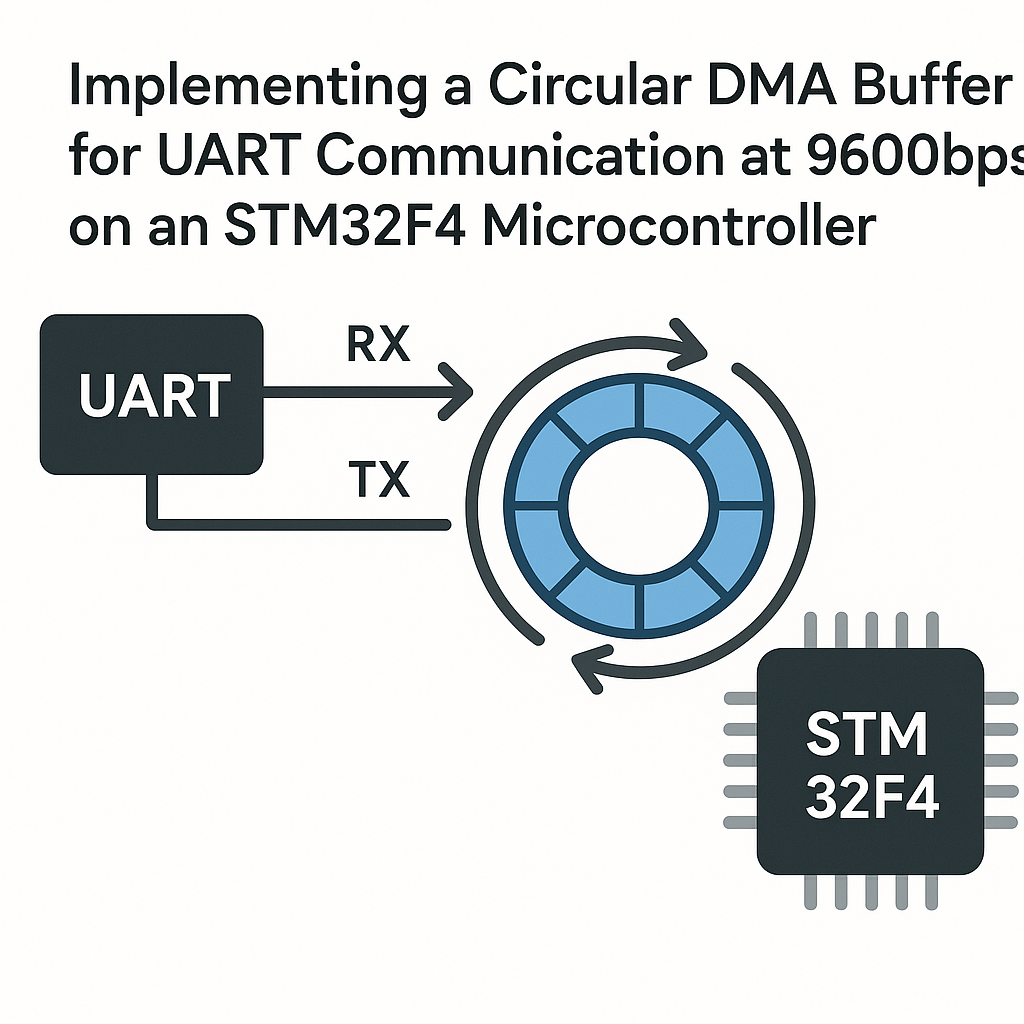
Polling UART byte-by-byte is a CPU hog. Interrupt-driven reception is better, but you're still context-switching on every single character. Circular DMA solves this: the DMA controller quietly fills a ring buffer in the background while your CPU does literally anything else. At 9600 bps you've got roughly 1 ms per byte, which is an eternity for an STM32F4, so there's zero reason to waste cycles polling.
The idea is simple: configure DMA in circular mode, point it at a buffer, and let the hardware wrap around automatically. You just need a read pointer to track where you've consumed data versus where DMA has written.
Prerequisites
- Working knowledge of UART and basic STM32 peripheral configuration
- STM32F4 development board (Discovery, Nucleo, or similar)
- STM32CubeIDE v1.16+ installed
- Familiarity with the STM32 HAL library
Parts/Tools
- STM32F4 development board
- USB-to-UART adapter (like an FTDI or CP2102 module) if your board doesn't have a built-in virtual COM port
- Jumper wires
- Computer with STM32CubeIDE v1.16+
Steps
-
Create the STM32 Project and Configure UART
Fire up STM32CubeIDE and create a new STM32 project for your specific F4 chip. In the Pinout & Configuration view, enable USART1 (or whichever UART you're using) in asynchronous mode. Set the baud rate:
huart1.Init.BaudRate = 9600;Then head to the DMA tab for that UART peripheral. Add a DMA request for RX. This is where the magic happens in the next step.
-
Configure DMA for Circular Mode
In the DMA settings (or in code if you prefer manual setup), configure the RX DMA stream. For USART1 on most STM32F4 parts, that's DMA2 Stream 2, Channel 4:
DMA_HandleTypeDef hdma_usart1_rx;

hdma_usart1_rx.Instance = DMA2_Stream2;
hdma_usart1_rx.Init.Channel = DMA_CHANNEL_4;
hdma_usart1_rx.Init.Direction = DMA_PERIPH_TO_MEMORY;
The key setting is circular mode. This tells the DMA controller to wrap back to the start of the buffer when it reaches the end, instead of stopping:
hdma_usart1_rx.Init.Mode = DMA_CIRCULAR;
hdma_usart1_rx.Init.MemDataAlignment = DMA_MDATAALIGN_BYTE;
hdma_usart1_rx.Init.PeriphDataAlignment = DMA_PDATAALIGN_BYTE;
If you're using CubeMX code generation, most of this is handled for you. Just make sure "Circular" is selected in the DMA mode dropdown rather than "Normal."
-
Set Up the Buffer and Start DMA Reception
Define your receive buffer. 256 bytes is a reasonable default for 9600 bps, but size it based on how fast your application processes data versus how quickly it arrives:
#define BUFFER_SIZE 256
uint8_t rxBuffer[BUFFER_SIZE];
volatile uint16_t rdIndex = 0;
Then kick off the DMA transfer. This single call starts continuous background reception:
HAL_UART_Receive_DMA(&huart1, rxBuffer, BUFFER_SIZE);That's it. DMA is now filling
rxBufferin a loop without any CPU involvement. -
Process Received Data Using the NDTR Trick
Here's the part most tutorials get wrong. Don't just blindly iterate the whole buffer. Track where DMA is currently writing by reading the NDTR (Number of Data To Register) register, and compare it to your read index:
void processReceivedData(void) {
    uint16_t wrIndex = BUFFER_SIZE - __HAL_DMA_GET_COUNTER(huart1.hdmarx);

    while (rdIndex != wrIndex) {
        uint8_t byte = rxBuffer[rdIndex];
        // Do something with the byte
        rdIndex = (rdIndex + 1) % BUFFER_SIZE;
    }
}
Call this from your main loop. The write index moves forward as DMA deposits bytes; your read index chases it. As long as you process data faster than it arrives (easy at 9600 bps), you'll never lose anything.
Watch out:
__HAL_DMA_GET_COUNTER()returns how many bytes are remaining, not how many have been written. That's why you subtract from BUFFER_SIZE.while (1) { processReceivedData(); // Other application tasks here }
Troubleshooting
- No data received at all
- Double-check your TX/RX wiring. A crossed connection is the number one culprit. TX on one side goes to RX on the other.
- Verify the baud rate matches on both ends. Even a slight mismatch at 9600 bps can cause garbage or silence.
- Confirm the correct DMA stream and channel for your specific USART. The reference manual has the mapping table.
- Garbled or corrupted data
- Make sure your buffer is large enough. If DMA wraps around and overwrites data you haven't processed yet, you'll get corruption.
- Check that your read-index logic handles the wrap-around correctly with the modulo operation.
- DMA transfer doesn't start
- Ensure DMA clock is enabled (CubeMX does this automatically, but manual setups sometimes miss it).
- Verify the DMA stream isn't already in use by another peripheral. Each stream can only serve one active request.
- Check that NVIC interrupts for DMA are enabled if you plan to use half-transfer or transfer-complete callbacks.
Wrapping Up
Circular DMA for UART is one of those techniques that, once you start using it, you'll never go back to polling or plain interrupt-driven reception. The CPU stays free, data flows continuously, and the ring-buffer pattern gives you a clean interface to consume bytes at your own pace. At 9600 bps the timing is forgiving, which makes this a great project to learn the pattern before scaling up to higher baud rates where the margin for error shrinks.