How to Fuse MPU6050 Data with Kalman Filter for STM32 Motion Tracking
The Problem with Raw IMU Data
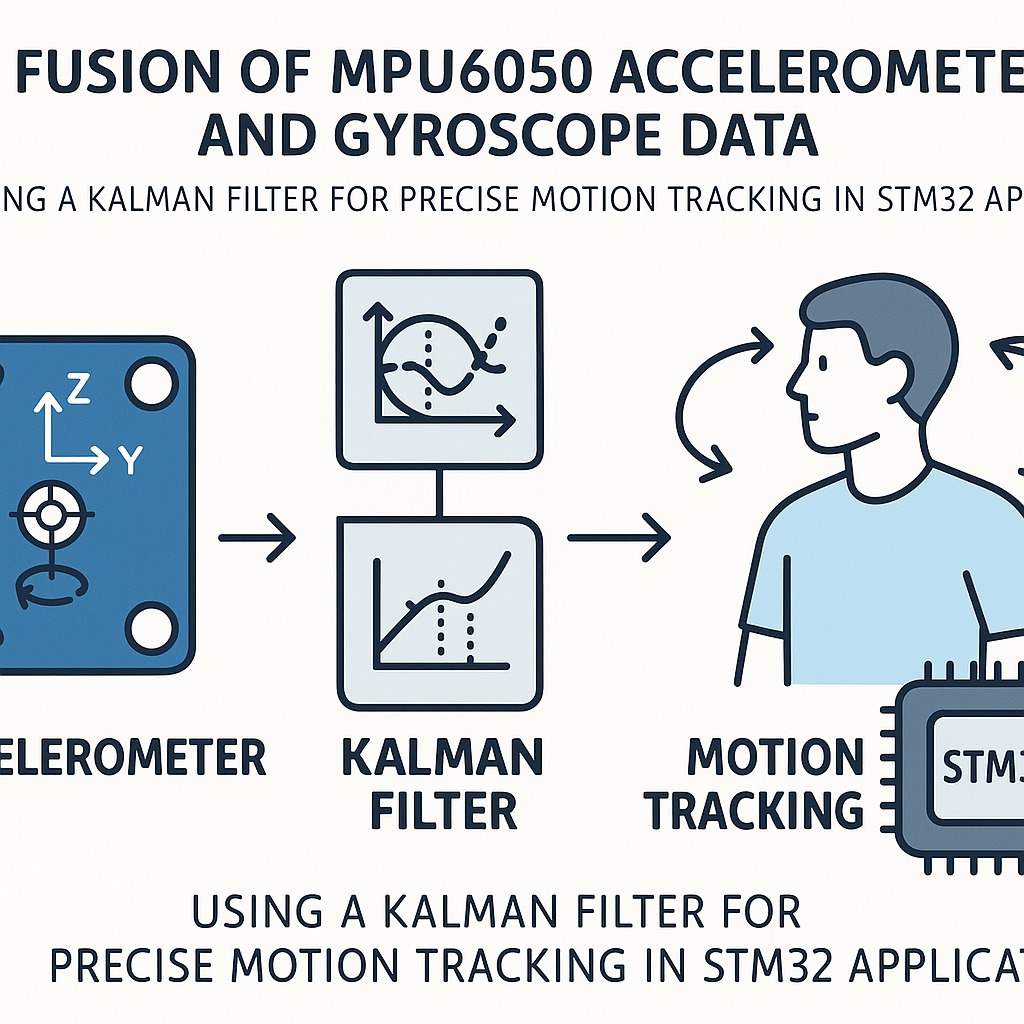
The MPU6050 gives you a 3-axis accelerometer and a 3-axis gyroscope in one cheap package. Sounds great for motion tracking — until you actually look at the raw data. The accelerometer is noisy and easily disturbed by vibration. The gyroscope drifts over time. Use either one alone and your angle estimates will be terrible within seconds.
The fix is sensor fusion. A Kalman filter combines both measurements intelligently: the accelerometer provides a long-term reference (it knows where "down" is), and the gyroscope provides smooth short-term rate information. The filter weights them based on how much you trust each source. The result is a stable, responsive angle estimate.
Here's how to set this up on an STM32 with the HAL and I2C.
Prerequisites
- STM32 development board (Nucleo or Discovery — F4, G4, or similar)
- MPU6050 breakout module (the purple GY-521 boards are everywhere)
- STM32CubeIDE v1.16+
- Solid grasp of C and basic embedded I/O
- Some comfort with I2C (at least knowing what SDA/SCL are)
Parts/Tools
- 1x STM32 development board
- 1x MPU6050 / GY-521 module
- Jumper wires (4 needed: VCC, GND, SDA, SCL)
- Breadboard (optional but makes wiring cleaner)
Steps
-
Wire the MPU6050 to the STM32
Four connections is all you need:
- MPU6050 VCC → STM32 3.3V (the GY-521 module has an onboard regulator, so 5V works too, but 3.3V is cleaner for I2C level matching)
- MPU6050 GND → STM32 GND
- MPU6050 SDA → STM32 I2C1 SDA (PB7 on most Nucleo boards)
- MPU6050 SCL → STM32 I2C1 SCL (PB6 on most Nucleo boards)
The GY-521 module has onboard pull-up resistors for I2C, so you usually don't need external ones. If you're having communication issues, double-check that the AD0 pin is tied low (gives I2C address 0x68) or high (gives 0x69).
-
Configure the STM32 project
In STM32CubeIDE, create a new project targeting your board. In the .ioc pinout configurator:
- Enable I2C1 in standard mode (100 kHz). You can try 400 kHz fast mode later, but start slow.
- Verify that PB6/PB7 (or whichever pins your board maps to I2C1) are assigned correctly.
- Enable a UART if you want to print filtered angle data for debugging.
Generate the code and make sure the project compiles clean before adding any sensor code.
-
Initialize the MPU6050
The MPU6050 powers up in sleep mode, so you need to wake it up by writing 0x00 to the PWR_MGMT_1 register. Here's a minimal init:
#define MPU6050_ADDR    (0x68 << 1)  // HAL uses 8-bit addresses
#define PWR_MGMT_1      0x6B
#define ACCEL_CONFIG     0x1C
#define GYRO_CONFIG      0x1B
#define ACCEL_XOUT_H    0x3B

void MPU6050_Init(I2C_HandleTypeDef *hi2c) {
    uint8_t data;

    // Wake up the sensor (clear sleep bit)
    data = 0x00;
    HAL_I2C_Mem_Write(hi2c, MPU6050_ADDR, PWR_MGMT_1, 1, &data, 1, HAL_MAX_DELAY);

    // Accelerometer range: +/- 2g
    data = 0x00;
    HAL_I2C_Mem_Write(hi2c, MPU6050_ADDR, ACCEL_CONFIG, 1, &data, 1, HAL_MAX_DELAY);

    // Gyroscope range: +/- 250 deg/s
    data = 0x00;
    HAL_I2C_Mem_Write(hi2c, MPU6050_ADDR, GYRO_CONFIG, 1, &data, 1, HAL_MAX_DELAY);
}
I recommend starting with the lowest range settings (+/-2g accel, +/-250 deg/s gyro) for maximum sensitivity. You can increase them later if your application involves fast motion that saturates these ranges.
-
Read accelerometer and gyroscope data
All six axes (3 accel + 3 gyro) live in 14 consecutive registers starting at 0x3B. You can read them in one burst — much faster than individual register reads:
void MPU6050_ReadAll(I2C_HandleTypeDef *hi2c,
                     int16_t *ax, int16_t *ay, int16_t *az,
                     int16_t *gx, int16_t *gy, int16_t *gz) {
    uint8_t buffer[14];
    HAL_I2C_Mem_Read(hi2c, MPU6050_ADDR, ACCEL_XOUT_H, 1,
                     buffer, 14, HAL_MAX_DELAY);

    *ax = (int16_t)(buffer[0] << 8 | buffer[1]);
    *ay = (int16_t)(buffer[2] << 8 | buffer[3]);
    *az = (int16_t)(buffer[4] << 8 | buffer[5]);
    // buffer[6..7] is temperature — skip it
    *gx = (int16_t)(buffer[8] << 8 | buffer[9]);
    *gy = (int16_t)(buffer[10] << 8 | buffer[11]);
    *gz = (int16_t)(buffer[12] << 8 | buffer[13]);
}
Watch out: bytes 6 and 7 are temperature data, not gyroscope data. A lot of example code out there gets this offset wrong and then wonders why the gyro readings look weird.
-
Build the Kalman filter
This is a simplified 1D Kalman filter that works well for fusing a single angle axis (pitch or roll). It tracks two states: the angle and the gyro bias.
typedef struct {
    float q_angle;   // Process noise for angle
    float q_bias;    // Process noise for gyro bias
    float r_measure; // Measurement noise (accelerometer)
    float angle;     // Current angle estimate
    float bias;      // Current gyro bias estimate
    float P[2][2];   // Error covariance matrix
} KalmanState;

void Kalman_Init(KalmanState *kf) {
    kf->q_angle = 0.001f;
    kf->q_bias = 0.003f;
    kf->r_measure = 0.03f;
    kf->angle = 0.0f;
    kf->bias = 0.0f;
    kf->P[0][0] = 0.0f;
    kf->P[0][1] = 0.0f;
    kf->P[1][0] = 0.0f;
    kf->P[1][1] = 0.0f;
}
And the update step, which you call once per sample period:
float Kalman_Update(KalmanState *kf, float accel_angle, float gyro_rate, float dt) {
    // Predict
    kf->angle += dt * (gyro_rate - kf->bias);
    kf->P[0][0] += dt * (dt * kf->P[1][1] - kf->P[0][1] - kf->P[1][0] + kf->q_angle);
    kf->P[0][1] -= dt * kf->P[1][1];
    kf->P[1][0] -= dt * kf->P[1][1];
    kf->P[1][1] += kf->q_bias * dt;

    // Update
    float S = kf->P[0][0] + kf->r_measure;
    float K[2];
    K[0] = kf->P[0][0] / S;
    K[1] = kf->P[1][0] / S;

    float y = accel_angle - kf->angle;
    kf->angle += K[0] * y;
    kf->bias += K[1] * y;

    float P00_temp = kf->P[0][0];
    float P01_temp = kf->P[0][1];
    kf->P[0][0] -= K[0] * P00_temp;
    kf->P[0][1] -= K[0] * P01_temp;
    kf->P[1][0] -= K[1] * P00_temp;
    kf->P[1][1] -= K[1] * P01_temp;

    return kf->angle;
}
This is more involved than the bare-minimum Kalman filter you might find in some tutorials, but it properly tracks gyro bias drift, which is the whole point. The simpler version (without bias estimation) will still drift over minutes.
-
Put it all together
In your main loop, read the sensor, compute the accelerometer angle, convert the gyro reading to degrees/second, and feed both into the filter:
KalmanState kf_pitch;
Kalman_Init(&kf_pitch);

float dt = 0.01f; // 100 Hz sample rate — adjust to match your loop timing

while (1) {
    int16_t ax, ay, az, gx, gy, gz;
    MPU6050_ReadAll(&hi2c1, &ax, &ay, &az, &gx, &gy, &gz);

    // Compute pitch angle from accelerometer (degrees)
    float accel_pitch = atan2f((float)ay, (float)az) * 180.0f / M_PI;

    // Convert gyro reading to deg/s (for +/-250 range, sensitivity = 131 LSB/deg/s)
    float gyro_rate_x = (float)gx / 131.0f;

    float filtered_pitch = Kalman_Update(&kf_pitch, accel_pitch, gyro_rate_x, dt);

    // Use filtered_pitch for your application
    HAL_Delay((uint32_t)(dt * 1000));
}
A few practical notes on tuning. The
q_angleandq_biasvalues control how much the filter trusts the gyro (lower = more trust in gyro). Ther_measurevalue controls how much it trusts the accelerometer (higher = less trust). Start with the defaults above and adjust based on what you see:- Too much oscillation/noise → increase
r_measure - Too slow to respond → decrease
r_measureor increaseq_angle - Slow drift over time → increase
q_bias
- Too much oscillation/noise → increase
Troubleshooting
- HAL_I2C_Mem_Read returns HAL_ERROR:
- Check your wiring. Swap SDA and SCL is a classic mistake.
- Verify the I2C address. The HAL expects the 8-bit (left-shifted) address: 0xD0 for AD0=low, 0xD2 for AD0=high.
- Try a lower I2C speed. Some long or poorly-routed I2C lines can't handle 400 kHz.
- Angle readings are jumpy or wrong:
- Check that you're skipping the temperature bytes (indices 6-7) when parsing gyro data.
- Make sure your dt value actually matches your loop timing. Use a hardware timer or SysTick for accurate timing instead of HAL_Delay.
- Verify the gyro sensitivity divisor matches your configured range (131 for +/-250, 65.5 for +/-500, 32.8 for +/-1000, 16.4 for +/-2000).
- Filter output drifts on the yaw axis:
- This is expected. The accelerometer can only measure pitch and roll (relative to gravity). Yaw drift requires a magnetometer to correct. Look into the MPU9250 (adds a magnetometer) or pair the MPU6050 with an external HMC5883L/QMC5883L compass module if you need yaw.
Beyond the Basics
The Kalman filter shown here handles a single axis. For full 3D orientation, you'd typically move to a quaternion-based approach — either an extended Kalman filter or a complementary filter like the Madgwick or Mahony algorithm. The Madgwick filter in particular is popular in embedded systems because it's computationally cheap and produces good results. But the 1D Kalman is a solid starting point for understanding the principles, and it works great for applications like self-balancing robots or simple tilt measurement where you only need pitch and roll.